
CEO & Co-founder of Visivo
Managing Staging vs Production BI Environments
Learn best practices for managing separate staging and production BI environments to ensure quality and prevent disruptions.
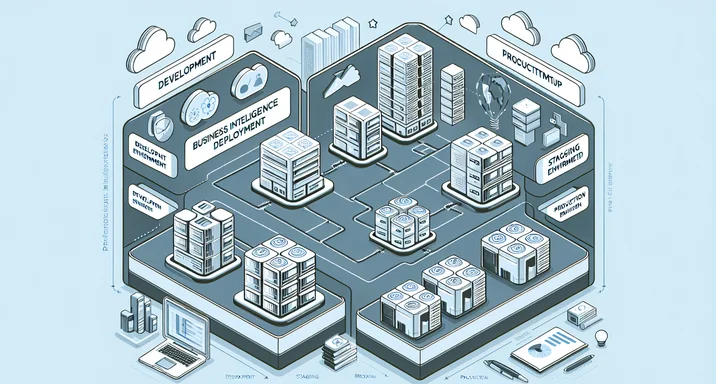
Most dashboard outages are not surprises. They are changes that nobody ran against production-like data before they shipped. According to VentureBeat, "87% of data science projects never make it to production," and a missing staging environment is a common reason: there is no safe place to prove a change works before users depend on it.
Many BI teams still push changes straight to production and learn about problems when users complain. A staging environment, with a clear path from it to production, is what stops that.
Defining environment roles
Staging and production do different jobs.
Staging is the dress rehearsal before opening night. Changes run against production-like data and configuration, with no risk to real users. Staging catches what development misses: data volume problems, integration failures, and performance bottlenecks that only show up under realistic conditions.
Production is where the business reads its numbers. It must be stable, fast and available, so it receives only changes that have already proven themselves in staging.
Changes move through the environments in one direction:
# environment-hierarchy.yml
environments:
  development:
    purpose: "Individual developer experimentation"
    data: "Sample subset (1-10%)"
    stability: "Unstable - frequent changes"
    access: "Developers only"

  staging:
    purpose: "Integration testing and validation"
    data: "Full production copy or large sample"
    stability: "Stable - controlled changes"
    access: "QA team, developers, select stakeholders"

  production:
    purpose: "Live business analytics"
    data: "Complete, real-time data"
    stability: "Highly stable - validated changes only"
    access: "All authorized users"
Why environment separation matters
Without separation, the failures are predictable. A developer testing a new calculation corrupts production data. A heavy test query takes dashboards down during a board meeting. A half-finished feature confuses whoever finds it first.
As Gartner research shows, "Data quality issues cost organizations an average of $12.9 million annually," and many of those issues trace back to inadequate testing environments.
Separation buys you three things.
Risk mitigation. Risky changes run where they cannot hurt production:
# Example: Testing a major schema migration
def migrate_schema(environment):
    if environment == "production":
        # Only run if thoroughly tested
        require_approval(level="executive")
        create_backup()
        enable_rollback()

    # Run migration
    execute_migration()

    if environment == "staging":
        # Extensive validation only in staging
        run_comprehensive_tests()
        simulate_user_load()
        verify_performance()
Quality assurance. Issues surface before users see them:
# staging-validation-suite.yml
staging_tests:
  - data_quality:
      - completeness: "No null values in required fields"
      - accuracy: "Calculations match expected results"
      - consistency: "Cross-dashboard metrics align"

  - performance:
      - load_time: "< 3 seconds for all dashboards"
      - concurrent_users: "Support 100 simultaneous users"
      - query_execution: "No queries exceed 30 seconds"

  - functionality:
      - filters: "All filter combinations work"
      - exports: "PDF/Excel generation succeeds"
      - drill_downs: "Navigation paths function correctly"
User confidence. People trust production because they know every change was tested first. That trust is what data adoption rests on, as we argue in reliable BI insights for stakeholders.
Best practices for management
Regular data refresh. Stale staging data hides real-world issues. Refresh it on a schedule and sanitize it on the way in, so staging stays a reproducible BI environment:
#!/bin/bash
# staging-data-refresh.sh

# Daily staging refresh at 2 AM
0 2 * * * /usr/local/bin/refresh_staging.sh

refresh_staging() {
    # Backup current staging
    pg_dump staging_db > staging_backup_$(date +%Y%m%d).sql

    # Copy production data
    pg_dump production_db | psql staging_db

    # Sanitize sensitive data
    psql staging_db -c "UPDATE users SET email = CONCAT('user', id, '@test.com')"
    psql staging_db -c "UPDATE customers SET ssn = CONCAT('XXX-XX-', id)"

    # Update statistics
    psql staging_db -c "ANALYZE"

    echo "Staging refresh completed at $(date)"
}
A written promotion process. Spell out the steps a change must pass, and track changes with pull requests so each step leaves a record:
# promotion-workflow.yml
promotion_process:
  from_dev_to_staging:
    steps:
      - code_review: required
      - unit_tests: must_pass
      - integration_tests: must_pass
      - documentation: must_update

  from_staging_to_production:
    steps:
      - staging_validation:
          duration: minimum_24_hours
          tests: comprehensive_suite
      - stakeholder_review: required
      - performance_baseline: must_meet_or_exceed
      - deployment_plan: documented
      - rollback_plan: tested

    approval:
      required_approvers:
        - technical_lead
        - business_owner
      approval_window: business_hours_only
Environment-specific configuration. Keep one base config and override only what differs, so the environments cannot drift apart:
# config/base.yml
base_config: &base
  query_timeout: 30
  cache_enabled: true
  error_logging: enabled

# config/staging.yml
staging:
  <<: *base
  database: staging_analytics
  debug_mode: true
  performance_monitoring: verbose
  data_sampling: full

# config/production.yml
production:
  <<: *base
  database: prod_analytics
  debug_mode: false
  performance_monitoring: standard
  backup_enabled: true
  high_availability: true
Infrastructure as code. Define each environment in code so it can be rebuilt on demand and wired into CI/CD for analytics:
# environments/main.tf
module "staging" {
  source = "./modules/bi-environment"

  environment_name = "staging"
  instance_type = "t3.large"
  database_size = "100GB"

  features = {
    auto_scaling = false
    backup_retention = 7
    monitoring_level = "detailed"
  }
}

module "production" {
  source = "./modules/bi-environment"

  environment_name = "production"
  instance_type = "r5.xlarge"
  database_size = "500GB"

  features = {
    auto_scaling = true
    backup_retention = 30
    monitoring_level = "comprehensive"
    multi_az = true
  }
}
Preventing production mistakes
All of this exists to keep preventable mistakes out of production.
Automated promotion gates. A release that fails a check does not ship:
# promotion-gates.py
class PromotionGate:
    def can_promote_to_production(self, release):
        checks = []

        # Must pass all staging tests
        checks.append(self.all_staging_tests_pass(release))

        # No critical bugs
        checks.append(self.no_critical_issues(release))

        # Performance meets SLA
        checks.append(self.performance_acceptable(release))

        # Documentation updated
        checks.append(self.documentation_complete(release))

        # Rollback tested
        checks.append(self.rollback_verified(release))

        if all(checks):
            return True, "Ready for production"
        else:
            failed = [c for c in checks if not c]
            return False, f"Failed checks: {failed}"
Staging-only features. Feature flags let a new capability run in staging while production stays on the known-good version. This pairs with BI version control best practices:
# feature-flags.yml
features:
  experimental_ml_predictions:
    staging: enabled
    production: disabled

  new_visualization_library:
    staging: enabled
    production: disabled

  advanced_filters:
    staging: enabled
    production: enabled_for_beta_users

  performance_optimizations:
    staging: enabled
    production: gradual_rollout_10_percent
Monitoring and alerting. Production alerts are tighter than staging alerts, because the cost of a miss is higher:
# monitoring-config.yml
environments:
  staging:
    alerts:
      - metric: error_rate
        threshold: "> 5%"
        action: notify_developers

  production:
    alerts:
      - metric: error_rate
        threshold: "> 0.1%"
        action: page_on_call

      - metric: response_time
        threshold: "> 3 seconds"
        action: immediate_investigation

      - metric: dashboard_availability
        threshold: "< 99.9%"
        action: incident_response
Emergency procedures. Something will slip through eventually. Decide now what happens when it does:
#!/bin/bash
# emergency-rollback.sh

production_issue_detected() {
    # 1. Immediate notification
    alert_team "CRITICAL: Production issue detected"

    # 2. Capture diagnostic info
    capture_logs
    capture_metrics
    create_incident_report

    # 3. Rollback if necessary
    if [ "$AUTO_ROLLBACK" = "true" ]; then
        rollback_to_previous_version
        verify_rollback_successful
    fi

    # 4. Post-mortem process
    schedule_post_mortem
}
Organizations with proper environment separation report:
- Significant reduction in production incidents
- No unauthorized production changes
- Thoroughly tested deployments
- Faster issue resolution
These results align with MIT findings that "Companies using data-driven strategies have 5-6% higher productivity" when their analytics systems are reliable and trustworthy.
Separating staging from production is not about slowing down. It is what lets a team move fast: when every change proves itself in staging first, you can experiment without putting users in the blast radius. The setup pays for itself the first time it stops a bad deploy.
This is the workflow Visivo is built around. A project is code, so staging and production are two deploy targets for the same files: visivo deploy -s staging ships the project to staging, and visivo deploy -s production ships the same project to production once it has passed. /get-started takes you from install to a first deploy.
Related reading: faster feedback cycles, dashboard version control collaboration, and automating analytics infrastructure.