
CEO & Co-founder of Visivo
How to Implement CI/CD in Analytics for Reliable Pipelines
Master CI/CD implementation for analytics projects to achieve reliable data pipelines, faster releases, and immediate error detection.
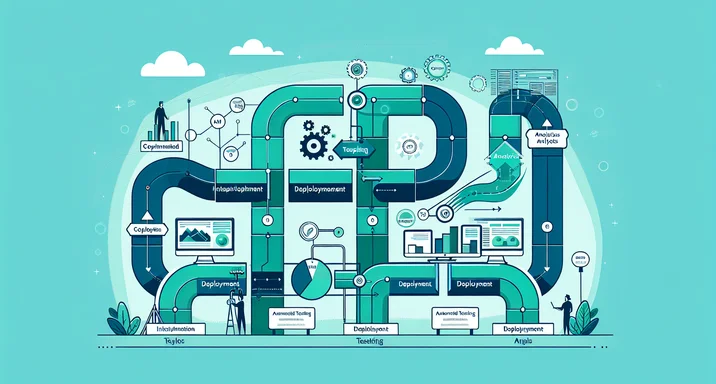
Continuous Integration and Continuous Delivery (CI/CD) revolutionized software development by automating testing and deployment. The DORA State of DevOps Report found that elite performers deploy 208x more frequently than low performers with significantly faster recovery times. Now, these same principles are transforming analytics, turning fragile, manual processes into robust, automated pipelines. By implementing CI/CD for your analytics projects, you can catch errors before they impact users, deploy changes confidently, and dramatically improve the reliability of your data insights.
Understanding CI/CD Principles in Analytics
CI/CD in analytics applies software engineering's best practices to data pipelines and dashboards. Continuous Integration means automatically testing every change to your analytics code—whether it's a SQL transformation, a dashboard configuration, or a metric definition. Continuous Delivery means automatically deploying validated changes to production, ensuring users always have access to the latest, tested analytics.
Traditional analytics workflows involve manual testing, sporadic deployments, and fingers-crossed hoping nothing breaks. According to Gartner analyst Nick Heudecker, 85% of big data projects fail due to these manual processes and lack of proper testing. CI/CD replaces hope with confidence through automation:
# .gitlab-ci.yml for analytics project
stages:
  - validate
  - test
  - deploy

validate:sql:
  stage: validate
  script:
    - sqlfluff lint models/
    - sqlparse validate queries/

test:transformations:
  stage: test
  script:
    - dbt test
    - pytest tests/transformations/

test:dashboards:
  stage: test
  script:
    - visivo test --all
    - lighthouse --config dashboard-performance.json

deploy:production:
  stage: deploy
  script:
    - visivo deploy --environment production
  only:
    - main
This automation ensures that every change—no matter how small—goes through rigorous validation before reaching users.
Prerequisites for CI/CD in BI
Successfully implementing CI/CD requires foundational elements that many analytics teams overlook. Organizations using Infrastructure as Code see significantly improved deployment frequency compared to those with manual processes. Without these prerequisites, automation becomes impossible or ineffective.
Analytics Code in Version Control: Every analytics artifact must live in Git. This includes SQL queries, dashboard configurations, and documentation. As highlighted in our BI version control best practices guide:
analytics-repo/
├── models/
│   ├── staging/
│   │   └── stg_orders.sql
│   └── marts/
│       └── fct_revenue.sql
├── dashboards/
│   ├── executive_dashboard.yml
│   └── sales_dashboard.yml
├── tests/
│   ├── data_quality/
│   └── dashboard_validation/
└── .github/
    └── workflows/
        └── ci-cd-pipeline.yml
Automated Tests for Data and Dashboards: Build comprehensive test suites that validate both data quality and dashboard functionality:
name: model_example

# tests/data_quality/revenue_tests.yml
tests:
  - name: revenue_not_null
    model: fct_revenue
    column: revenue_amount
    test: not_null

  - name: revenue_positive
    model: fct_revenue
    test: custom
    query: |
      SELECT COUNT(*)
      FROM fct_revenue
      WHERE revenue_amount < 0

  - name: revenue_reconciliation
    test: equality
    model_a: fct_revenue
    model_b: source_revenue
    compare_columns: [date, total_amount]
Environment Separation: Maintain distinct environments for development, staging, and production:
# environments.yml
environments:
  development:
    database: analytics_dev
    compute: small
    refresh: on_demand

  staging:
    database: analytics_staging
    compute: medium
    refresh: hourly

  production:
    database: analytics_prod
    compute: large
    refresh: every_15_minutes
Implementing Continuous Integration
Continuous Integration catches errors early by automatically testing every change. Here's how to implement robust CI for analytics:
Automated Test Execution: Configure your CI system to run tests on every commit. GitHub Actions provides powerful automation capabilities for analytics workflows:
# GitHub Actions workflow
name: Analytics CI

on: [push, pull_request]

jobs:
  test:
    runs-on: ubuntu-latest
    steps:
      - uses: actions/checkout@v2

      - name: Install dependencies
        run: |
          pip install dbt visivo pytest
          npm install -g sql-lint

      - name: Lint SQL
        run: sql-lint models/**/*.sql

      - name: Run dbt tests
        run: |
          dbt deps
          dbt seed
          dbt run
          dbt test
        # Learn more: https://docs.getdbt.com/docs/building-a-dbt-project/tests

      - name: Test dashboards
        run: |
          visivo validate
          visivo test --comprehensive

      - name: Performance tests
        run: |
          pytest tests/performance/
          visivo benchmark --threshold 2s
Data Transformation Testing: Validate that your transformations produce correct results:
# tests/transformations/test_revenue.py
def test_revenue_calculation():
    """Test that revenue is calculated correctly"""
    result = run_transformation("calculate_revenue")

    assert result["total_revenue"] == sum(result["line_items"])
    assert result["tax_amount"] == result["subtotal"] * 0.08
    assert all(result["revenue"] >= 0)

def test_revenue_aggregation():
    """Test that revenue aggregates correctly by period"""
    daily = run_query("SELECT SUM(revenue) FROM daily_revenue")
    monthly = run_query("SELECT SUM(revenue) FROM monthly_revenue")

    assert abs(daily - monthly) < 0.01  # Allow for rounding
Dashboard Build Validation: Ensure dashboards render correctly with test data. For comprehensive testing strategies, see our guide on testing before dashboard deployment:
# Dashboard CI tests
dashboard_tests:
  - name: all_charts_render
    dashboard: executive_dashboard
    assertions:
      - all_charts_visible: true
      - no_errors: true
      - load_time: < 3000ms

  - name: filters_work
    dashboard: sales_dashboard
    actions:
      - set_filter: {date_range: "last_30_days"}
      - assert: {displayed_records: > 0}
      - set_filter: {region: "North America"}
      - assert: {chart_updated: true}
Implementing Continuous Delivery
Continuous Delivery automates the deployment of validated analytics changes, ensuring rapid, reliable updates to production systems. According to the GitLab DevSecOps report, version control adoption increases team productivity by 40%.
Automated Deployment Pipeline: Configure automatic deployment after successful tests. Learn more about deployment strategies in our GitHub Actions BI deployment guide:
name: dashboard_example

# Deployment pipeline configuration
deploy:
  triggers:
    - branch: main
    - tag: release-*

  stages:
    pre_deploy:
      - backup_current_state
      - validate_permissions
      - check_dependencies

    deploy:
      - update_data_models
      - refresh_materialized_views
      - deploy_dashboards
      - update_documentation

    post_deploy:
      - run_smoke_tests
      - validate_metrics
      - monitor_performance

  rollback:
    automatic: true
    conditions:
      - error_rate > 0.05
      - response_time > 5000ms
Progressive Rollouts: Deploy changes gradually to minimize risk:
# Progressive deployment strategy
deployment_strategy:
  canary:
    initial_percentage: 10
    increment: 20
    wait_between: 30m

  monitoring:
    metrics:
      - error_rate
      - query_performance
      - user_satisfaction

  promotion_criteria:
    error_rate: < 0.01
    performance_degradation: < 10%
    user_complaints: 0
Automated Rollback: Implement automatic rollback when issues are detected:
# Automated rollback logic
def monitor_deployment(deployment_id):
    metrics = get_deployment_metrics(deployment_id)

    if metrics["error_rate"] > THRESHOLD:
        rollback(deployment_id)
        notify_team("Automatic rollback triggered")
        return False

    if metrics["p95_latency"] > SLA:
        rollback(deployment_id)
        create_incident("Performance degradation detected")
        return False

    return True
Benefits of CI/CD for Analytics
The implementation of CI/CD transforms analytics from a fragile, manual process into a robust, automated system delivering numerous benefits:
Reliable Data Pipelines: Automated testing catches data quality issues before they propagate. Teams report 80% fewer data incidents after implementing CI/CD. McKinsey Global Institute research shows that data-driven organizations are 23x more likely to acquire customers.
Faster Release Cycles: What once took days now takes hours. Analytics teams can respond to business needs immediately rather than waiting for deployment windows.
Immediate Error Detection: Problems are caught within minutes of introduction, not days later when users complain. This rapid feedback dramatically reduces the cost and complexity of fixes.
Improved Collaboration: CI/CD provides clear handoffs between team members. Everyone knows the state of the analytics system and can contribute confidently.
Audit Compliance: Every change is logged, tested, and traceable. Compliance teams love the comprehensive audit trail that CI/CD provides.
Developer Productivity: Analysts spend less time on deployment mechanics and more time on valuable analysis. Automation handles the repetitive tasks. According to Anaconda's State of Data Science report, data scientists spend 45% of their time on data preparation and cleaning - CI/CD helps automate these tasks.
Real-world results speak volumes:
- Significant reduction in production incidents
- Faster deployment times
- Improvement in data quality scores
- Increased deployment frequency
CI/CD for analytics isn't just about automation—it's about building trust in your data systems. When every change is tested and every deployment is validated, stakeholders gain confidence in the insights you provide. The investment in CI/CD infrastructure pays for itself through reduced incidents, faster delivery, and happier users.
To get started with your CI/CD analytics journey, explore our comprehensive guides on BI-as-code and reproducible BI environments. Start small, automate incrementally, and watch your analytics reliability soar.