Edit in the browser. Ship through review.
Visivo Cloud hosts your project. Edit a draft in the browser, run it, then commit it or open a pull request. Every change gets the review your code gets.
What you get with Visivo Cloud
- Drafts
Nothing ships by accident
Every edit, by a person or by the built-in AI agent, stays a draft until someone commits it.
- Git
Commits land in your GitHub repo
On a project linked to GitHub, a commit pushes to your branch and opens a pull request.
- Access
Four roles and keys that can only deploy
Viewer, Editor, Maintainer and Admin roles, a write-only secret store, and deployment keys that let CI deploy and nothing else.
From a draft to production, in seven steps.
- Edit
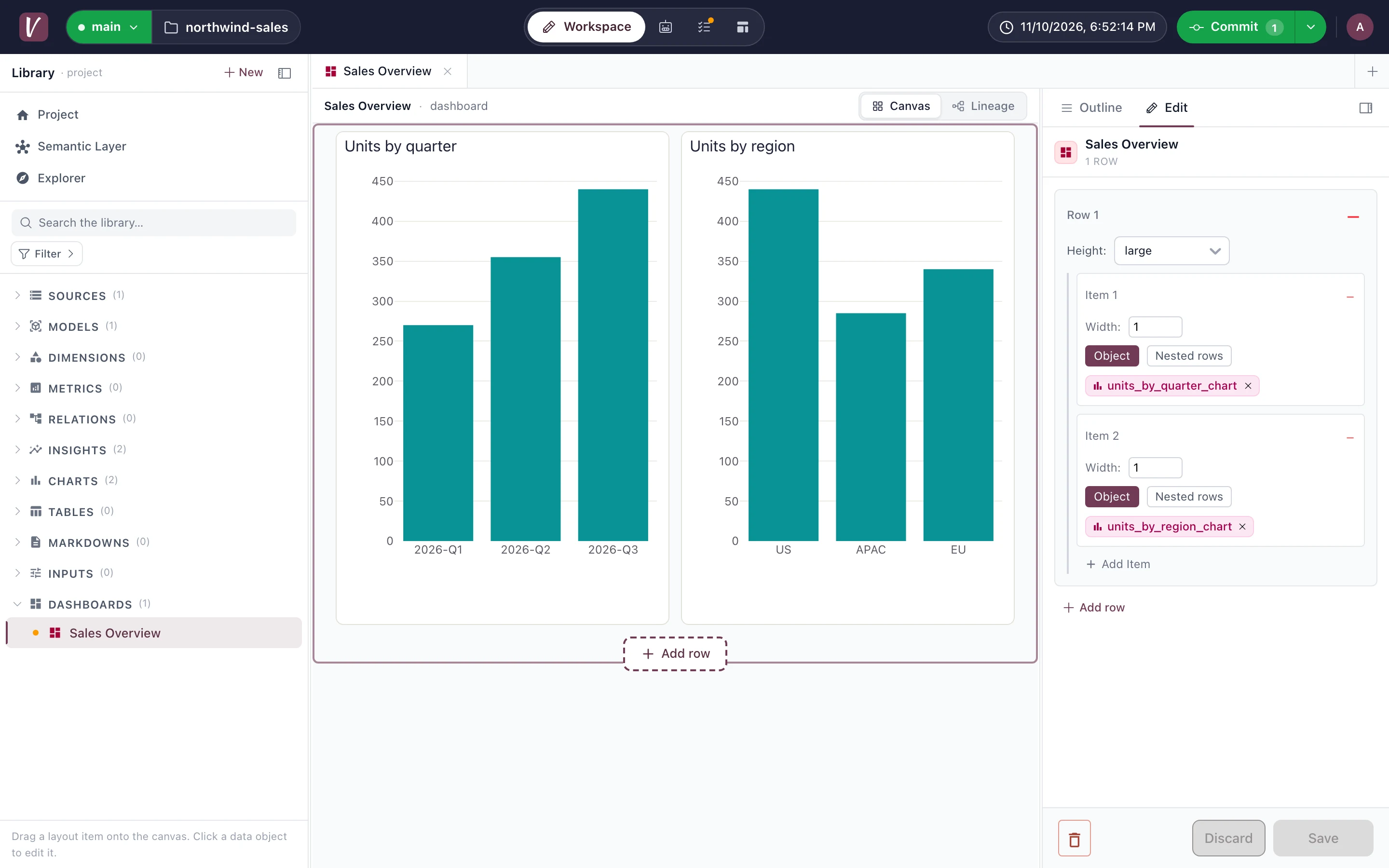
Edit in the browser
Change sources, models, charts and dashboards in the cloud editor. Each change is a draft on your branch until someone commits it. Rename an object and every reference to it is rewritten in the same draft.
- Run
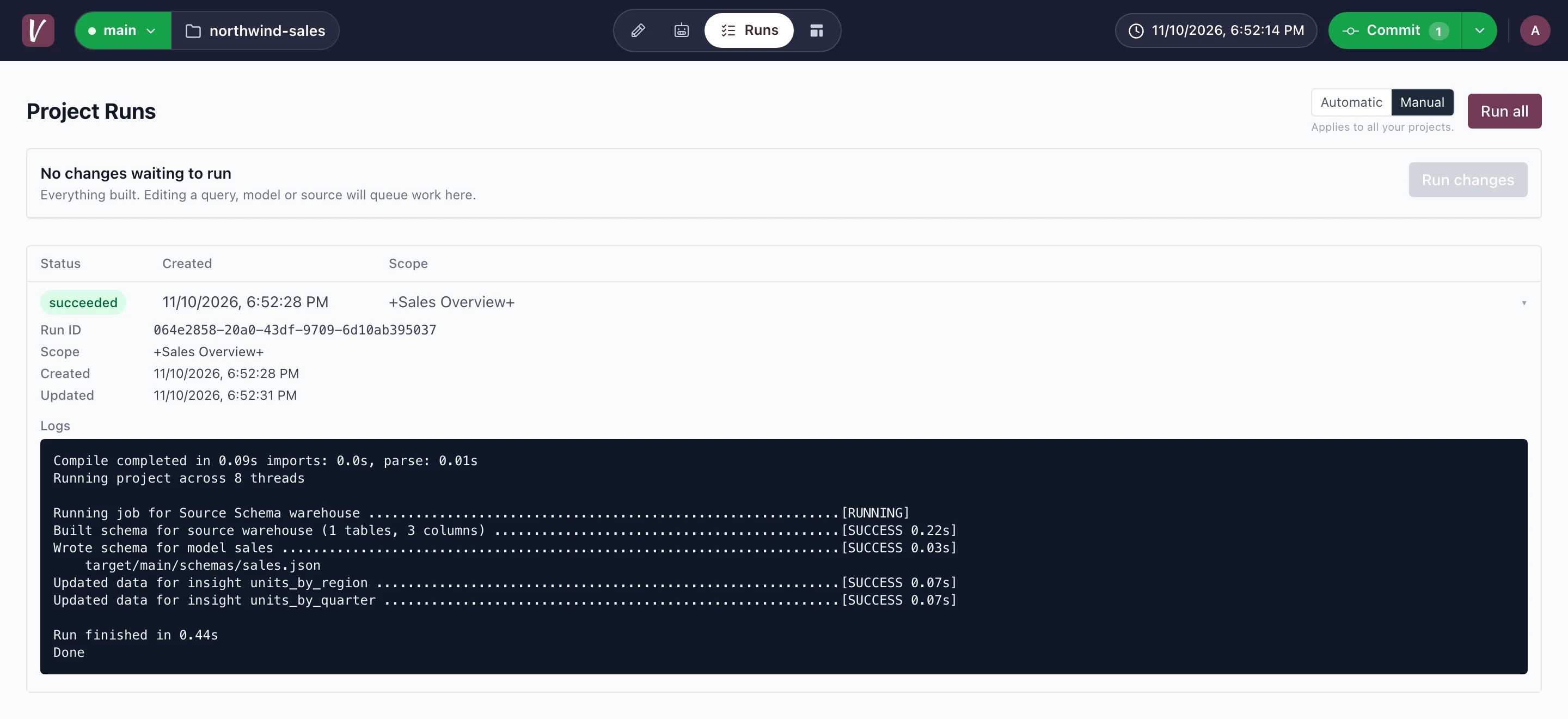
Run the draft and read the logs
Run the project in the cloud and follow its logs while it builds, so you catch a failure before you commit.
- Commit or PR
Commit it, or open a pull request
Commit the draft to publish it. On a project linked to GitHub, the commit pushes to your branch and opens a pull request for review. On the Platform plan you keep the version history of every commit.
- Branches
Work on a branch
A cloud branch maps to a git branch. Editors commit to any branch but the default. Maintainers and Admins also commit to the default branch and merge other branches into it.
- GitHub App
Build every pull request with the GitHub App
Install the Visivo GitHub App. Each pull request builds its branch and reports the result as a GitHub Check Run. By default, a push to the default branch deploys it.
- Secrets
Keep secrets out of the YAML
Connection secrets live in the cloud's write-only secret store. Your project refers to them as ${env.NAME}, so the YAML never holds a password.
- Roles and keys
Give roles to people, deployment keys to CI
Give each teammate a Viewer, Editor, Maintainer or Admin role. An Admin creates deployment keys, so a CI job can deploy without a personal token.
Deploy from a laptop or a CI job.
Run visivo deploy --branch to send your project to a branch in Visivo Cloud. In CI, export a deployment key as VISIVO_TOKEN instead of a personal token.
# from your laptopvisivo deploy --branch dev# from a CI job, with a deployment keyexport VISIVO_TOKEN=$DEPLOYMENT_KEYvisivo deploy --branch prod
Edit in your browser. Commit it like code.
One source of truth the whole company can build on.
Start free in the cloud, or install the open-source CLI and spin up a local dashboard with hot-reload.