
CEO & Co-founder of Visivo
Dashboard Lineage Management for Trusted BI Analytics
Master dashboard lineage tracking to understand data flows, identify issues quickly, and maintain trust in analytics.
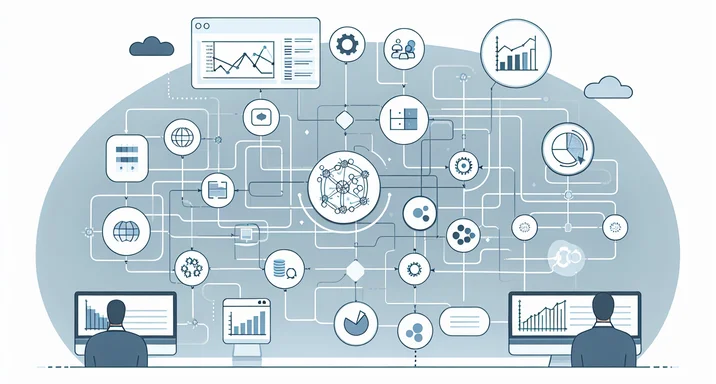
Understanding where your dashboard data comes from is like having a GPS for your analytics—you always know your location and can trace your path back to the source. According to Gartner, "Data quality issues cost organizations an average of $12.9 million annually," often because teams can't trace problems to their source quickly enough.
Dashboard lineage management provides this crucial visibility, tracking data from its origin through every transformation to its final presentation. With Visivo's code-first approach, this lineage becomes not just visible but automatically maintained through your configuration files.
Defining Dashboard Lineage in Visivo
Dashboard lineage is the complete map of data sources and transformations behind each element of a dashboard. In Visivo, this lineage is explicitly defined through the ref() system, creating an auditable trail from raw data to final visualization.
Consider this Visivo configuration that demonstrates clear lineage:
# project.visivo.yml
name: Sales Analytics
cli_version: "1.0.74"

sources:
  - name: postgres
    type: postgresql
    database: sales_db
    host: "{{ env_var('DB_HOST') }}"
    username: "{{ env_var('DB_USER') }}"
    password: "{{ env_var('DB_PASSWORD') }}"

models:
  - name: raw_orders
    sql: |
      SELECT
        order_id,
        customer_id,
        order_date,
        amount,
        status
      FROM orders
      WHERE created_at >= '2024-01-01'

  - name: customer_metrics
    sql: |
      SELECT
        customer_id,
        COUNT(*) as order_count,
        SUM(amount) as total_revenue,
        AVG(amount) as avg_order_value,
        MAX(order_date) as last_order_date
      FROM ${ref(raw_orders)}
      WHERE status = 'completed'
      GROUP BY customer_id

  - name: monthly_revenue
    sql: |
      SELECT
        DATE_TRUNC('month', order_date) as month,
        COUNT(*) as orders,
        SUM(amount) as revenue
      FROM ${ref(raw_orders)}
      WHERE status = 'completed'
      GROUP BY DATE_TRUNC('month', order_date)
      ORDER BY month DESC

insights:
  - name: revenue_trend
    props:
      type: scatter
      mode: lines+markers
      name: "Monthly Revenue"
      x: ?{ ${ref(monthly_revenue).month} }
      y: ?{ ${ref(monthly_revenue).revenue} }

  - name: customer_distribution
    props:
      type: scatter
      name: "Customer Value Distribution"
      x: ?{ ${ref(customer_metrics).order_count} }
      y: ?{ ${ref(customer_metrics).total_revenue} }

charts:
  - name: revenue_chart
    insights:
      - ${ref(revenue_trend)}
    layout:
      title:
        text: "Revenue Trends"
      xaxis:
        title: "Month"
      yaxis:
        title: "Revenue ($)"

dashboards:
  - name: executive_dashboard
    rows:
      - height: medium
        items:
          - chart: ${ref(revenue_chart)}
This configuration creates explicit lineage: postgres source → raw_orders model → monthly_revenue model → revenue-trend insight → revenue-chart → Executive Dashboard. Every ${ref()} call creates a documented dependency that Visivo can trace and validate.
Why Lineage Matters in Modern Analytics
Lineage provides transparency that builds trust. When stakeholders can see exactly how metrics are calculated, confidence soars. According to VentureBeat, "87% of data science projects never make it to production," often due to lack of transparency and trust in data processes.
When issues arise, teams can trace problems to their source in minutes, not days. When regulations require data auditing, lineage provides complete documentation.
Without lineage, organizations operate blind—unable to assess impact, trace errors, or prove compliance. One corrupted data source can cascade through dozens of dashboards before anyone notices the connection. This problem connects directly to reliable BI insights for stakeholders and the importance of managing staging and production environments.
The Cost of Poor Lineage
Consider a real-world scenario: Your executive dashboard shows a 30% revenue drop overnight. Without proper lineage:
- Investigation time: Hours or days tracking through different systems
- Trust erosion: Stakeholders lose confidence in all metrics
- Decision paralysis: Leadership hesitates to act on any data
- Shadow analytics: Teams build their own spreadsheets as workarounds
With Visivo's explicit lineage, you immediately know:
- Which models feed the revenue metric
- What SQL transformations are applied
- Which source tables are involved
- When the data was last refreshed
Implementing Comprehensive Lineage with Visivo
Model Dependencies and References
Visivo's ${ref()} system automatically creates dependency graphs. Complex analytics often involve multiple transformation layers:
name: Analytics Project

models:
  # Raw data layer
  - name: raw_transactions
    sql: |
      SELECT * FROM payment_transactions
      WHERE transaction_date >= '2024-01-01'

  - name: raw_customers
    sql: |
      SELECT * FROM customer_profiles
      WHERE status = 'active'

  # Business logic layer
  - name: transaction_metrics
    sql: |
      SELECT
        customer_id,
        transaction_date,
        amount,
        CASE
          WHEN amount > 1000 THEN 'high_value'
          WHEN amount > 100 THEN 'medium_value'
          ELSE 'low_value'
        END as value_tier
      FROM ${ref(raw_transactions)}
      WHERE status = 'completed'

  - name: customer_segments
    sql: |
      SELECT
        c.customer_id,
        c.registration_date,
        c.segment,
        COALESCE(t.total_transactions, 0) as transaction_count,
        COALESCE(t.total_value, 0) as lifetime_value
      FROM ${ref(raw_customers)} c
      LEFT JOIN (
        SELECT
          customer_id,
          COUNT(*) as total_transactions,
          SUM(amount) as total_value
        FROM ${ref(transaction_metrics)}
        GROUP BY customer_id
      ) t ON c.customer_id = t.customer_id

  # Analytics layer
  - name: cohort_analysis
    sql: |
      SELECT
        DATE_TRUNC('month', registration_date) as cohort_month,
        segment,
        COUNT(*) as customer_count,
        AVG(lifetime_value) as avg_ltv,
        AVG(transaction_count) as avg_transactions
      FROM ${ref(customer_segments)}
      GROUP BY cohort_month, segment
      ORDER BY cohort_month, segment
This creates a clear lineage chain: Raw Sources → Business Logic → Analytics → Visualizations. This systematic approach aligns with modern BI-as-code scalable systems and enables faster feedback cycles when issues are detected.
Cross-Dashboard Lineage Tracking
When models are reused across multiple dashboards, lineage becomes even more critical:
name: KPI Project

# Shared models used across dashboards
models:
  - name: core_kpis
    sql: |
      SELECT
        'revenue' as metric,
        SUM(amount) as value,
        'daily' as frequency
      FROM ${ref(raw_transactions)}
      WHERE transaction_date = CURRENT_DATE
      UNION ALL
      SELECT
        'new_customers' as metric,
        COUNT(*) as value,
        'daily' as frequency
      FROM ${ref(raw_customers)}
      WHERE registration_date = CURRENT_DATE

# Multiple insights using the same model
insights:
  - name: daily_revenue_kpi
    props:
      type: indicator
      value: ?{ ${ref(core_kpis).value} }[0]
      title:
        text: "Daily Revenue"
    interactions:
      - filter: ?{ ${ref(core_kpis).metric} = 'revenue' }

  - name: daily_customers_kpi
    props:
      type: indicator
      value: ?{ ${ref(core_kpis).value} }[0]
      title:
        text: "New Customers"
    interactions:
      - filter: ?{ ${ref(core_kpis).metric} = 'new_customers' }

charts:
  - name: revenue_kpi_chart
    insights:
      - ${ref(daily_revenue_kpi)}

  - name: customers_kpi_chart
    insights:
      - ${ref(daily_customers_kpi)}

# Used in multiple dashboards
dashboards:
  - name: executive_dashboard
    rows:
      - height: small
        items:
          - chart: ${ref(revenue_kpi_chart)}

  - name: sales_dashboard
    rows:
      - height: small
        items:
          - chart: ${ref(revenue_kpi_chart)}
          - width: 1
            chart: ${ref(customers_kpi_chart)}
Now both dashboards depend on the same core_kpis model. Any change to this model affects both dashboards, and the lineage is explicit in the configuration.
Advanced Lineage with dbt Integration
When integrating with dbt™, Visivo preserves and extends the lineage from your dbt™ models. This integration is covered in detail in our dbt™ BI-as-code integration guide:
name: dbt Integration

# Integrating dbt models into Visivo
dbt:
  profile: analytics
  target: prod

models:
  # Reference existing dbt models
  - name: dbt_customers
    dbt_model: "marts.customers"
    sql: "{{ ref('marts.customers') }}"

  - name: dbt_orders
    dbt_model: "marts.orders"
    sql: "{{ ref('marts.orders') }}"

  # Combine dbt models with custom logic
  - name: customer_360
    sql: |
      SELECT
        c.*,
        o.total_orders,
        o.total_revenue,
        o.avg_order_value
      FROM ${ref(dbt_customers)} c
      LEFT JOIN (
        SELECT
          customer_id,
          COUNT(*) as total_orders,
          SUM(order_total) as total_revenue,
          AVG(order_total) as avg_order_value
        FROM ${ref(dbt_orders)}
        GROUP BY customer_id
      ) o ON c.customer_id = o.customer_id

insights:
  - name: customer_analysis
    props:
      type: scatter
      mode: markers
      x: ?{ ${ref(customer_360).total_orders} }
      y: ?{ ${ref(customer_360).total_revenue} }
      marker:
        size: ?{ ${ref(customer_360).avg_order_value} }
        sizemode: diameter
This creates lineage from your dbt™ sources through dbt™ transformations into Visivo analytics and finally to dashboards. For local development workflows with dbt™, see our dbt™ local development guide.
Lineage Impact Analysis
Understanding Dependencies
Before making changes to any model, you can analyze the impact by following the ${ref()} chain:
name: impact_analysis
# Impact analysis example
# If you modify raw_orders model, what's affected?

# Direct dependents:
models:
  - name: customer_metrics
    sql: SELECT * FROM ${ref(raw_orders)}
  - name: monthly_revenue
    sql: SELECT * FROM ${ref(raw_orders)}

# Indirect dependents (insights using those models):
insights:
  - name: revenue_trend
    props:
      type: scatter
      x: ?{ ${ref(monthly_revenue).month} }
      y: ?{ ${ref(monthly_revenue).revenue} }
  - name: customer_distribution
    props:
      type: scatter
      x: ?{ ${ref(customer_metrics).order_count} }
      y: ?{ ${ref(customer_metrics).total_revenue} }

# Final impact (charts and dashboards):
charts:
  - name: revenue_chart
    insights:
      - ${ref(revenue_trend)}

dashboards:
  - name: executive_dashboard
    rows:
      - height: medium
        items:
          - chart: ${ref(revenue_chart)}
Testing Lineage Integrity
Visivo can validate lineage during deployment:
# Check for broken references
visivo validate

# Test model dependencies
visivo test --select raw_orders+  # Test raw_orders and all dependents

# Deploy with lineage verification
visivo deploy --stage production --validate-refs
This testing approach ensures quality before deployment, as detailed in our test before dashboard deployment guide.
Benefits of Explicit Lineage Management
Quick Error Tracing
When a dashboard shows unexpected values, lineage provides a direct investigation path:
- Identify the insight: Which insight feeds the problematic chart?
- Check the model: What SQL generates the insight data?
- Verify the source: Is the underlying data correct?
- Test transformations: Are the calculations accurate?
# Debug a specific lineage path
visivo run --select revenue-trend --debug
visivo test --select monthly_revenue --verbose
Compliance and Auditing
Visivo configurations serve as complete audit trails:
name: compliance_project
# Every transformation is documented
models:
  - name: gdpr_compliant_customers
    sql: |
      SELECT
        -- PII handling documented in lineage
        customer_id,
        CASE
          WHEN consent_status = 'granted' THEN email
          ELSE 'redacted@privacy.com'
        END as email,
        registration_date,
        segment
      FROM ${ref(raw_customers)}
      WHERE
        -- Geographic compliance filters
        country IN ('US', 'CA', 'UK', 'DE', 'FR')
        AND consent_status IS NOT NULL
Change Management
Git history combined with Visivo lineage provides complete change tracking. This approach enables collaborative development as outlined in our track changes with pull requests guide:
# See what changed in a model and its impact
git diff HEAD~1 models/customer_metrics.sql

# Test the impact before deploying
visivo test --select customer_metrics+ --stage staging
Trust Building Through Transparency
Stakeholders gain confidence when they can:
- See the source: "This revenue number comes from our orders table"
- Understand transformations: "We filter for completed orders and sum the amounts"
- Verify calculations: "The SQL is right here in the configuration"
- Trust the process: "Every change is code-reviewed and tested"
Advanced Lineage Patterns
Multi-Source Lineage
Complex analytics often combine multiple data sources:
name: multi_source_project

sources:
  - name: postgres_sales
    type: postgresql
    database: sales
    host: localhost
    username: user
    password: pass

  - name: mysql_crm
    type: mysql
    database: crm
    host: localhost
    username: user
    password: pass

models:
  - name: sales_data
    source: postgres_sales
    sql: SELECT * FROM orders

  - name: customer_data
    source: mysql_crm
    sql: SELECT * FROM customers

  - name: unified_analytics
    sql: |
      SELECT
        s.order_id,
        s.amount,
        s.order_date,
        c.customer_name,
        c.customer_segment,
        c.account_manager
      FROM ${ref(sales_data)} s
      JOIN ${ref(customer_data)} c
        ON s.customer_id = c.customer_id
Computed Lineage
Visivo can track lineage through calculated columns:
name: computed_project

models:
  - name: sales_data
    sql: SELECT order_date, amount, order_id FROM orders
    dimensions:
      - name: month
        expression: "DATE_TRUNC('month', order_date)"
    metrics:
      - name: revenue
        expression: "SUM(amount)"
      - name: order_count
        expression: "COUNT(DISTINCT order_id)"

insights:
  - name: calculated_metrics
    props:
      type: scatter
      x: ?{ ${ref(sales_data).month} }
      y: ?{ ${ref(sales_data).revenue} }
Organizations Success with Lineage
Organizations implementing comprehensive lineage management with Visivo report:
- 95% reduction in "where does this number come from?" questions
- Faster root cause analysis for data issues
- Complete audit trail for compliance requirements
- Increased stakeholder trust in analytics
- Fewer critical decisions reversed due to bad data understanding
These improvements are particularly valuable given that MIT research shows "Companies using data-driven strategies have 5-6% higher productivity" when they can trust their analytics.
Real-World Implementation
A financial services company used Visivo's lineage management to:
- Document regulatory calculations: Every compliance metric traced to source
- Enable rapid troubleshooting: Data issues resolved in minutes, not hours
- Support audit requirements: Complete documentation automatically maintained
- Build stakeholder confidence: Executives could see exactly how KPIs were calculated
Getting Started with Lineage Management
Step 1: Structure Your Models
Organize models in logical layers:
name: layered_project

models:
  # Raw/staging layer
  - name: raw_example
    sql: SELECT * FROM raw_table

  # Business logic layer
  - name: business_example
    sql: SELECT * FROM ${ref(raw_example)}

  # Analytics/marts layer
  - name: analytics_example
    sql: SELECT * FROM ${ref(business_example)}
Step 2: Use Explicit References
Always use ${ref()} for model dependencies:
name: reference_example

models:
  - name: upstream_model
    sql: SELECT * FROM source_table

  - name: downstream_model
    # Good - explicit reference
    sql: SELECT * FROM ${ref(upstream_model)}
Step 3: Document Complex Logic
Add comments to complex transformations:
name: documentation_example

models:
  - name: customer_base_metrics
    sql: SELECT customer_id, total_revenue, order_count, customer_tenure_months FROM customers

  - name: complex_calculation
    sql: |
      -- Customer lifetime value calculation
      -- Based on standard CLTV formula: avg_purchase_value * purchase_frequency * customer_lifespan
      SELECT
        customer_id,
        (total_revenue / order_count) * -- avg purchase value
        (order_count / customer_tenure_months) * -- purchase frequency
        36 as projected_ltv -- 36 month average lifespan
      FROM ${ref(customer_base_metrics)}
Step 4: Test Dependencies
Regularly validate your lineage:
# Test full dependency chain
visivo test --select +important_model+

# Validate before deployment
visivo validate --stage production
Dashboard lineage isn't optional for enterprise analytics—it's essential for maintaining trust, ensuring compliance, and operating efficiently. With Visivo's explicit ${ref()} system, lineage becomes a natural part of your analytics development workflow, providing transparency that transforms your analytics from a black box into a glass house.
For related topics, explore our guides on BI version control best practices, dashboard version control collaboration, and visualizations as code.
The code-first approach means your lineage documentation never goes stale—it's always current because it IS your configuration. Start implementing comprehensive lineage management today, and watch stakeholder trust in your analytics soar.